Last modified on
February 3, 2025
by
Kelsey Keefe
Overview
Without licensing (i.e., permission from the copyright holder), uploading copyrighted material to HuskyCT (Blackboard) violates copyright law. Copyright issues often arise when it comes to using images in courses, as placing copyrighted images in documents and HuskyCT is considered unauthorized copying and distribution. Any images used in online courses must be licensed for this purpose. This post shows how to find, use, and cite free images that support learning in online courses legally.
Apps with Built-In Image Libraries
Several applications UConn licenses include built-in image libraries.
Since these materials and services are part of the University’s license, attribution (i.e., citation) is not required.
Microsoft 365
As Microsoft 365 subscribers, UConn Microsoft 365 accounts “have access to a growing library of thousands of royalty-free images, icons, illustrations, videos, and more” (Microsoft Support, n.d., para. 1). While available in multiple Microsoft 365 apps, this feature is especially useful when creating PowerPoint presentations. Learn how to insert premium content.
HuskyCT
HuskyCT has built-in imagery features to help with building courses. When inserting an image, selecting the Image Source provides options for “Stock images from Unsplash” and “Generate images” using the AI Design Assistant. (Not all options are available in all areas of HuskyCT.) This feature makes it seamless to add a Course Image/Banner, learning module thumbnails, and other imagery to a course. Note that these image features are not available to students.
Other Sources of Free Imagery
A number of sites have free images that can be used in your courses. Most of the images on these sites are in the public domain or licensed under a Creative Commons (CC) license that requires attribution. Note that some CC licenses do not permit commercial use. With lack of consensus on whether the use of content in a course [that charges tuition or program fees] at a public university is commercial or noncommercial, it’s recommended to only use images licensed to permit commercial use (Creative Commons, 2024; Lowe, n.d.; “Noncommercial Interpretation,” 2017).
Follow the source’s instructions for attribution if available. Otherwise, follow these general recommended practices for attribution.
This is not an exhaustive list but provides a starting point. These sites may require creating a free account.
| Website | Types of Media | License | Attribution Requirements | Notes |
|---|---|---|---|---|
| UConn Media Share | Photos (UConn) | Photos may be used by UConn employees for University projects. | Not required | — |
| Unsplash | Photos, Graphics | Unsplash License | Not required but appreciated | Use of some images requires a paid subscription. Filter for free images. |
| Pixabay | Photos, Graphics | Pixabay License or CC0 | Not required but appreciated | — |
| Pexels | Photos | Pexels License | Not required but appreciated | — |
| Flickr | Photos, Graphics | CC Licenses | Likely required | Filter for CC licenses that allow for commercial use (i.e., does not include “NC” license element). |
| Google Images | Photos, Graphics | CC licenses | Likely required | Filter for CC licenses that allow for commercial use (i.e., does not include “NC” license element). |
| Wikimedia Commons | Photos, Graphics | Typically CC Licenses | Likely required | Search for works licensed for commercial use (i.e., does not include “NC” license element). |
| BioRender | Graphics (Scientific Figures) | BioRender License | Required | Can create up to five figures for free. |
| Flaticon (Freepik) | Graphics (Icons) | Flaticon License | Required for free accounts | — |
Using Generative AI to Create Images
From Copyright in Online Courses: Using Free Content Legally:
Generative AI is another way to legally use free content in a course. AI-generated works currently cannot be copyrighted in the U.S. and are in the public domain unless a human being sufficiently modifies the direct output to create a new creative work (Martin, 2024; Zirpoli, 2023). However, AI-generated outputs may still violate copyright law if the output is “substantially similar” to existing copyrighted works (Zirpoli, 2023).
While many generative AI tools can create content, Microsoft Copilot is the preferred option for UConn employees. Copilot is part of the University’s Microsoft 365 license which meets institutional privacy requirements (UConn Information Technology Services, 2024).
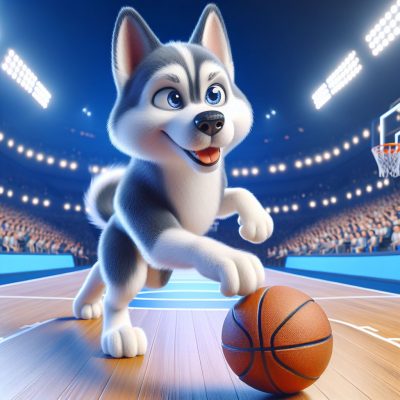
While not technically required, it’s ethically best practice to identify AI-generated photos. Include the tool, version number (if applicable), and prompt used to generate the image (Mamak & Mosher, 2024; RMIT University Library, 2024).
Attribution Examples:
- Image generated using [tool, version], prompt: “[prompt]”
- Image generated using [tool, version] from “[prompt]” prompt.
- Image generated using [tool, version] from the prompt “[prompt].”
- “[Prompt]” prompt, generated by [tool, version].
Additional Resources
Related Resources
- Mehvar, M. (2024, November 12). 21+ free stock image sites to find photos (+ for commercial use). Buffer.
- The UConn Library has several resources addressing copyright and AI more in-depth:
Related Posts
References
- Creative Commons. (2024, June 3). Frequently asked questions.
- Lowe, C. (n.d.). An issue for open education: Interpreting the non-commercial clause in Creative Commons licensing. Conference on College Composition & Communication (CCCC).
- Mamak, L., & Mosher, L. (2024, January 4). MLA citations for content generated by artificial intelligence (AI) tools. Normandale Community College Library.
- Martin, M. (2024, February 28). Your creative AI copyright questions, answered. Superside.
- Microsoft Support. (n.d.). Insert images, icons, and more in Microsoft 365.
- NonCommercial interpretation. (2017, October 15). In Creative Commons Wikipedia.
- RMIT University Library. (2024, August 2). Artificial intelligence – referencing guidelines: Referencing AI-generated images.
- UConn Information Technology Services. (2024, July 12). Microsoft AI services. University of Connecticut.
- Zirpoli, C. T. (2023, September). Generative artificial intelligence and copyright law (LSB10922). Congressional Research Service.